Git Explained: Why Every Developer and DevOps Engineer Must Use Git
Git is a distributed version control system that helps teams track code changes, collaborate safely, and release software confidently.
It acts as a single source of truth for application code across developers, teams, and environments.
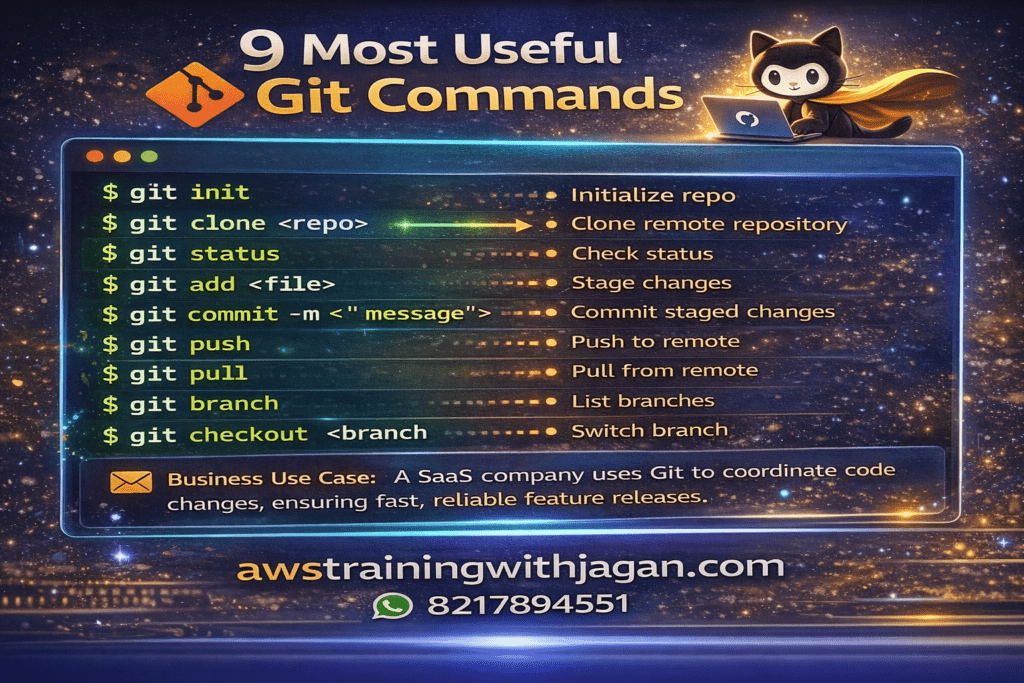
1️⃣ git init
Purpose: Initialize a Git repository
Command Example:
git init
Business Use Case:
Starting version control for a new microservice or project.
2️⃣ git clone
Purpose: Clone an existing repository
Command Example:
git clone https://github.com/org/project.git
Business Use Case:
New developers onboard quickly by cloning the company repo.
3️⃣ git status
Purpose: Check file status
Command Example:
git status
Business Use Case:
Ensure no secrets or unwanted files are committed before deployment.
4️⃣ git add
Purpose: Stage files
Command Example:
git add app.js
# or
git add .
Business Use Case:
Control which files go into a release.
5️⃣ git commit
Purpose: Save changes with a message
Command Example:
git commit -m "Add order validation logic"
Business Use Case:
Maintain an audit trail for compliance and debugging.
6️⃣ git log
Purpose: View commit history
Command Example:
git log --oneline
Business Use Case:
Trace when and why a production bug was introduced.
7️⃣ git branch
Purpose: List or create branches
Command Example:
git branch feature/payment
Business Use Case:
Multiple teams work independently without breaking main code.
8️⃣ git checkout
Purpose: Switch branches (older method)
Command Example:
git checkout feature/payment
Business Use Case:
Move between feature and hotfix branches.
9️⃣ git switch
Purpose: Switch branches (recommended)
Command Example:
git switch main
Business Use Case:
Safer branch switching in production workflows.
🔟 git merge
Purpose: Merge branches
Command Example:
git merge feature/payment
Business Use Case:
Release approved features into the production branch.
1️⃣1️⃣ git rebase
Purpose: Reapply commits cleanly
Command Example:
git rebase main
Business Use Case:
Maintain clean Git history before merging PRs.
1️⃣2️⃣ git pull
Purpose: Fetch + merge changes
Command Example:
git pull origin main
Business Use Case:
Keep local code updated with team changes.
1️⃣3️⃣ git fetch
Purpose: Fetch changes without merging
Command Example:
git fetch origin
Business Use Case:
Review changes before integrating them.
1️⃣4️⃣ git push
Purpose: Push code to remote repo
Command Example:
git push origin main
Business Use Case:
Triggers CI/CD pipelines (GitHub Actions, Jenkins, etc.).
1️⃣5️⃣ git diff
Purpose: Compare changes
Command Example:
git diff
Business Use Case:
Review exactly what changed before committing or deploying.
1️⃣6️⃣ git stash
Purpose: Save work temporarily
Command Example:
git stash
git stash pop
Business Use Case:
Pause feature work to fix urgent production issues.
1️⃣7️⃣ git reset
Purpose: Undo commits (local only)
Command Example:
git reset --soft HEAD~1
Business Use Case:
Fix mistakes before pushing to shared repositories.
1️⃣8️⃣ git revert
Purpose: Safely undo a commit
Command Example:
git revert <commit-id>
Business Use Case:
Rollback faulty production deployments safely.
1️⃣9️⃣ git tag
Purpose: Mark release versions
Command Example:
git tag v1.0.0
git push origin v1.0.0
Business Use Case:
Track production releases and hotfix versions.
2️⃣0️⃣ git cherry-pick
Purpose: Apply specific commits
Command Example:
git cherry-pick <commit-id>
Business Use Case:
Apply a critical bug fix without merging all changes.