
Kubelet Explained: How the Kubernetes Node Agent Manages Pods & Containers
Kubelet is the primary node agent in Kubernetes that runs on every worker node (and sometimes control-plane node).

It ensures that containers are running as expected according to the Pod specifications provided by the Kubernetes API Server.
Kubelet Responsibilities
| Function | Description |
|---|---|
| Pod Lifecycle Management | Starts, monitors, and restarts containers as defined in Pod specs. |
| Container Runtime Interface (CRI) | Interacts with container runtime (Docker, containerd, CRI-O). |
| Node Registration | Registers the node with the control plane and reports status. |
| Health Checks | Performs liveness and readiness probes on containers. |
| Resource Monitoring | Reports CPU, memory, and disk usage to the control plane. |
| Pod Manifest Watching | Watches /etc/kubernetes/manifests/ for static Pod definitions. |
| Certificate Rotation | Handles node certificates for secure communication. |
| Logging & Metrics | Sends logs and metrics to monitoring systems (e.g., Prometheus). |
| Garbage Collection | Removes unused containers and images to free resources. |
How Kubelet Works (Flow Diagram)
- API Server → Node
- The API server sends a PodSpec to the Kubelet on that node.
- Kubelet → Container Runtime (e.g., containerd)
- Kubelet pulls container images and starts the containers.
- Kubelet → Control Plane
- Reports back Pod and Node status (Running, CrashLoopBackOff, etc.).
- Kubelet Health Checks
- Periodically probes containers and restarts if needed.
- Node Heartbeat
- Sends node health and resource usage updates to the control plane.
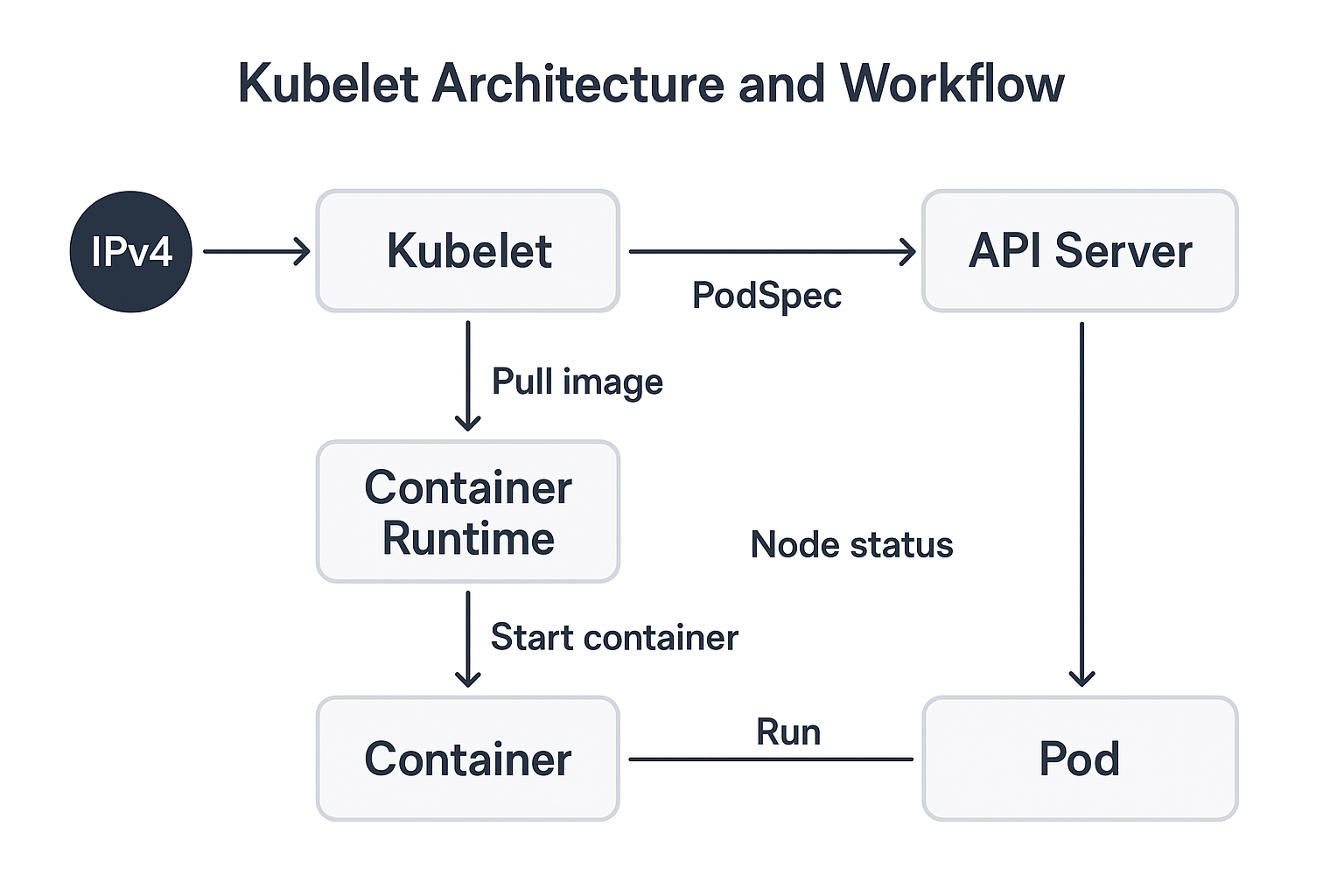
What Happens When You Deploy a Pod
kubectl apply -f nginx-pod.yaml
- The API server receives the Pod definition.
- The Scheduler assigns the Pod to a Node.
- The Kubelet on that node:
- Pulls the Nginx image.
- Starts the container via
containerd. - Runs readiness/liveness probes.
- Reports Pod status (Running) to API server.
If Nginx crashes — the Kubelet restarts it automatically (self-healing).
Business Use Cases of Kubelet
| Use Case | Description | Business Impact |
|---|---|---|
| Self-Healing Infrastructure | Kubelet restarts failed containers | Reduces downtime |
| Automated Scaling | Works with Horizontal Pod Autoscaler | Handles traffic spikes |
| Observability & Compliance | Reports resource usage and status | Cost visibility and compliance |
| Secure Node Communication | TLS + Webhook Auth | Protects internal traffic |
| Hybrid Cluster Management | Kubelet abstracts node OS differences | Runs on AWS EC2, bare metal, or on-prem |
| Static Pods for Core Components | Keeps control-plane pods running even if API is down | Ensures high availability |
Troubleshooting Tips
| Issue | Command / Fix |
|---|---|
| Kubelet not running | systemctl restart kubelet |
| Pod stuck in Pending | Check kubectl describe pod <pod> — may be a node scheduling issue |
| Node NotReady | Check journalctl -u kubelet and kubectl describe node |
| Connection refused on port 10250 | Validate TLS certificates and kubelet config |
| Container not starting | Check container runtime logs (sudo journalctl -u containerd) |
Summary
| Aspect | Description |
|---|---|
| Component Type | Node agent |
| Runs On | Every Kubernetes node |
| Purpose | Ensure desired containers are running |
| Communication | Talks to API server and container runtime |
| Critical Ports | 10250 (secure API), 10255 (deprecated) |
| Key Features | Health checks, restart, metrics, node registration |
| Business Value | Self-healing, scalable, automated container management |
Kubelet is the heartbeat of a Kubernetes node — it ensures containers match the desired state, recovers from failures, and securely communicates with the control plane to keep workloads healthy and compliant.